
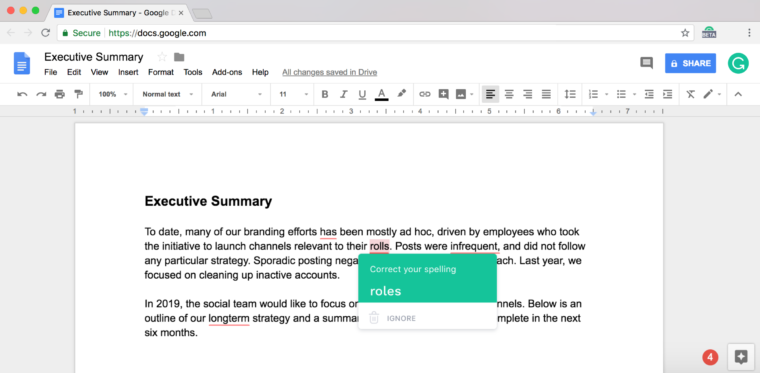
Grammarly is a life saver, certainly. If you write regularly you surely must have heard about this useful tool. The traditional Chrome extension for the tool corrects grammars and typos and makes sure sentences are well constructed.
Ever since Google Docs came into being, a lot of users of Microsoft’s MS Word and Suites have preferred working online. Google Docs is also available for offline use and saves documents in real time without regularly worrying about losing files and saving manually as in MS word. In an official blog post, Grammarly announced it is rolling out a beta version of the tool Google Docs, albeit for Chrome users alone.
The tool has been available on Google Docs for some time now for Premium subscribers. With feedbacks gotten from the beta version, Grammarly said it was able to release a version which its users would be proud of.
How to use Grammarly in Google Docs
The tool is only available on Google Docs on Chrome for now and is rolling out gradually. There is no confirmation yet of when it will be live on other browsers.
- Install Grammarly Chrome extension if you don’t have one.
- Make sure you are signed in to your account. Grammarly automatically syncs with your browser when you do this.
- Open a document in Google Docs.
- If you’ve been granted beta access, a pop-up comes up notifying you. A Grammarly logo also appears in the bottom right corner of your screen.
If you really want to improve on your writing, get Grammarly!


